


20 Aug Release History
Jamsara Release History
This page will be updated periodically to keep a record of ongoing updates and new features.
Grizzly Release - v1.00.00
2026.10.25
2026.10.25
This release includes the following new features:
- Improved Beat Detection
- Improved Chord Detection
- Chord Copy/Cut/Paste/Clear
- Numerous minor improvements and bug fixes
Grizzly Beta Release - v0.99
2026.08.22
2026.08.22
This release includes the following new features:
Installation and deployment:
Installation and deployment:
- Third party library compliance
- Directory cleanup
- Automatic updates
- DB Versioning hooks
- Bundle resources
- pyinstaller flash
- EULA
- Update Website
- Integrate Stripe and AWS
- Add latency compensation for slow audio devices (like scarlett on wasapi)
- Convert to device-specific setting
- Auto-calibration
- Bug: mono mic input treated as left channel of stereo input
- Bug: count-in timing wrong
- Bug: count-in not audible with focusrite scarlett
- Less cowbell
- New feature: Duplicate session
- User can bounce tracks:
- User can select all or portion of the audio in the main timeline
- User selects source and target track
- User can select overwrite or overdub
- Audio data is copied from source to target
- User can also clear the selected region in the target track
- Allow deletion of selected regions, not just full user tracks
- Save original audio file when importing
- Login needs to be top level
- Purchase from app itself
- Undo/redo for Notes component
- Bring forward / send backward for images and text
Jaguar Pre-Release - v0.95
2026.05.31
2026.05.31
This release includes the following new features:
- Behind-the-scenes software engineering and refactoring
- Much smaller memory footprint
- Allow user to move data directory
- Improved Settings Panel appearance
- Miscellaneous bug fixes
Jaguar Pre-Release - v0.94
2026.05.24
2026.05.24
This release includes the following new features:
- Record jams using a four track recorder
- Save multiple sessions for each song
- One-shot, Loop and Takes recording modes
- Overdub or Replace
- Auto Punch-in recording from any location
- Export mixed audio
"An Otter Otter Pre-Release" - v0.93
2026.02.28
2026.02.28
This release includes an upgraded music player, stemming along with minor enhancements and fixes for numerous bugs and glitches:
New Music Player
New Music Player
- Upgrade to pyaudio music player
- allow do tempo changes
- add crude volume, tempo knobs to player ui
- add signals for volume and tempo
- add volume knob to stretchy
- integrate playback engine into music player
- make sure time still correct
- hook up tempo
- hook up volume
- safe mode and low-latency mode for buffering
- make sure stop rewinds
- reset tempo when load new track (but not volume)
- Add new Mixer to control volume, muting and pan
- Add 6-track stemming, with one mixer track for each separated track
- Modify music player to open multiple simultaneous streams
- Separate tracks and cache on disk
- Sharpen the Text and images in notes view.
- Use edit cursor when hover over text note
- Change back to pasting in actual size
- Single click to add new textbox
- First click out of text box no new text box (just unselect, unedit)
- New textbox - better default width
- Border disappears when resizing textbox
- Make vertical size of page reflect contents. Don't horizontal scroll
- Extend note vertical space when get to bottom / Shrink when page shrinks
- Add keyboard shortcuts for Bold, Italic, and Underline
- Don't allow user to completely drag items off page
- Streamlined copy/paste
- Let textboxes expand on their own up to their max size without setting it right away?
- Change to pillow for image resizing
- Carlito for default text font
- Paste location way off
- Add Paste Text and Paste Image options to right click
- Initial font selection: modify addTextBlock so can pass in info from the toolbar
- Deselect items when tab changes
- Share toolbar selections between tabs
- Note properties
- Add new fields to sticky note db and dao
- create sticky note properties .ui file and dialog
- add sticky notes settings to right click menu of NotesView
- create signal and send it when user clicks NotesView Settings
- handle signal in NotesPanel to show the settings dialog
- Show sticky notes settings Dlg and collect user data from it
- Sticky Notes meta data edit command
- Update sticky note background on view update
- Set up to use new autosync settings
- Merge rename and properties for notes view
- Add Note Properties change from chordsheet
- Disable music player keys in notes mode
- Better icons in notes view
- Fix highlight toggle
- Log:
- get rid of paint log messages
- Clean up new debug messages
- print version number?
- Improved Logging Detail
- option to redirect logger to console
- Allow multiple media imports on single drag/drop
- Allow remove song from library (removing song from all songs playlist will completely remove it from your library and all other playlists it might be included in. this action can not be undone. proceed?)
- Update Otter image
- Remove a bunch of warnings
- Try compressed npy (compare load before and after) - compression was minimal.
- Splash screen
- About box
- Make drag/drop a little less sensitive
- Restore correct logging levels
- Use environment variable to override data dir
- Thumbnail degrades with every save
- Crash when adding sections while song playing… in chordsheet redraw all?
- Aboutbox does weird resizing when move it..
- Crash if click slider when no song loaded
- Make playlist. delete it. close and reload. can get error about playlist doesn't exist
- Bug with chordsheet background color - pyqt version? [issue with loop background color on windows 10. should notes and music view have lighter bkground?]
- Bug: loop selection when flip to notes view
- When media lib is empty, clicking on sticky notes causes crash
- Problem when Last line has only one measure
- Crash on edit meta data for song with no image
- Crash when pasting van gogh: Recursive Loop when resizing image
- Can be tricky to find image resize zone: made resize handle slightly bigger, but resize handle will always be *inside* image area
- Can't change color of all songs playlist
- Drag song Directly onto tape: Crash
- Can't move playhead position when song is not playing; as soon as press play, returns to previous position
- Adding Sticky Note when not showing sticky notes: automatically bring up notes view when finished
- Checked state of new buttons looks weird: made noteeditor toolbar icons transparent
- Playlist auto-next
- When selecting image in thumbnail edit, default to file filter showing all image types
- When selecting audio file to import, default to file filter showing all audio files
- Show settings menu when right click note tab
- Master Volume Louder: changed panning to simple balance adjustment to increase perceived volume
- More diversity of accent color options from thumbnail
- Additional splash of accents color? (added accent_color slider to inject a little more color into mixing panel)
- Allow section to start at time 0
- Convert mute buttons to pushbuttons instead of hover buttons
- Version-specific db override
- Is the drag drop correction still working? Better solution for too-sensitive drag-drop in cassette view
- Remove song from current playlist - should change current song
- Fine-tuning of thumbnail color distribution
- Don't reset master volume / panning on song load
- Enable support for dumping exceptions to crash log
- Stemming not working on install version? This was caused by pyinstaller packaging bug. Fixed by removing torch dynamo
- Section add bug fix: change db constraint to song_id | measure - add empty name validation checks in input dialog | don't show add section in measures that already have section name | double check constraints in song add function
- Fix: Can no longer move multiple items if text item selected
- Fix: Horizontal nudge glitching
- Fix: Color changes not working on selections after changing color choice in dlg
- Fix: Doesn't always de-select image boxes when click to textbox
- Fix: need to load sync_measure in dao
- Fix some annoying pycharm warnings from untyped view items
- Fix: can't edit non-autosync notes
- Fix performance issue: store number of tracks in songs table
- Thumbnail size glitch
- Memory Leak on app exit
"An Otter Pre-Release" - v0.92
2025.08.23
2025.08.23
This release includes the following new features:
New Music Player
New Music Player
- Attach notes and images to loopsheets
- Automatically sync notes with sections of your track
- Select multiple bars or sections and loop them
- Option to manually select track color
Capybara bug fix pre-release - v0.91
2025.06.15
2025.06.15
This release includes the following bug fixes and new features
Software Engineering
Software Engineering
- Check/fix dependencies
- Type hints
- Make new log at beginning of each month so log file doesn't get enormous
- Add debug messages at beginning of view eve
- Put pyinstaller output and install forge under single parent dir
- Add command to pyinstaller .spec file to automatically copy the icon folder to dist dir for InstallForge
- Fix Capybara install image
- Set up license agreement placeholder
- Kind of need splash screen for startup
- Better empty song thumbnail
- Import/Analyze prog bar
- Check if can use GPU
- Make alternative QAudioBufferFileLoader and set up system with optional ffmpeg usage
- Check if chord prediction differs between encoders (beats and chords seem the same)
- Timing of the splash screen
- Default color for music player background match audio
- Speed up imports by only loading tracks once
- Click-ability cursor
- Rearrange chordsheet drawing order so staff is more clickable
- Instead of double click on music player to change meta data, make it click on labels / thumbnail
- Update version number
- Review logo graphic
- What happened to tool tips?
- Make "Do it" the default, not "Nevermind"
- Error if song missing title or artist (e.g. djork wavs)
- If change meta data, playlist doesn't update immediately
- After renaming playlist, it is not current
- Can't switch to Empty playlist
- Bug on import if media exist but nothing else does
- What if media doesn't exist? Test re-importing song if audio deleted (OK) and need error message when try to play
- Sanity check for number of entries when loading down-sampled audio
- Sometimes doesn't play when first open. and gets fixed if scroll the scrollbar.
- Bug with slider not going all the way to end of song
- Installed program with splash screen: main window no longer starting maximized
- (Sometimes) Can’t scroll when first load song.
- Clicking in slider not working
- Got unique constraint on first chord after deleted first chord in infirmary then tried to add it back.
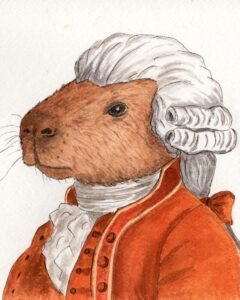
Capybara alpha fix pre-release - v0.91
2025.05.22
2025.05.22
This release includes the following features
- Import your favorite music tracks
- Organize them into playlists
- Automatic chord detection with manual editing
- Option to annotate song sections
- Play along and rock out